
To check the SIM owner’s name in India, use your telecom provider’s app (like MyJio, Airtel Thanks, VI App), call customer care (198 or 121), or visit the TAFCOP portal (tafcop.dgtelecom.gov.in) to see numbers linked to your Aadhaar. For privacy and legal reasons, only your SIM card information should be accessed, not someone else’s.
1. Introduction
Sometimes, you might want to verify the name registered with a SIM card — maybe for security, caller verification, or ensuring your mobile number is registered to your name. In India, SIM card registration is governed by strict rules, and knowing the owner’s name can help avoid misuse or identity issues.
In this guide, we’ll show you legal and safe ways to check the SIM owner’s name for popular networks like Jio, Airtel, Vi, and BSNL.
2. Is It Legal to Check the SIM Owner’s Name in India?
Yes — only if you’re checking your number or a number that you have permission to access. Under TRAI (Telecom Regulatory Authority of India) and DoT (Department of Telecommunications), accessing someone else’s telecom data without consent is illegal.
All the methods in this guide are safe and compliant if used for personal verification.
3. Methods to Check SIM Owner Name
Method 1: Using MNP SMS (PORT to 1900)

You can send a simple SMS to check some SIM details.
Steps:
- Open your SMS app.
- Type: PORT <Your Mobile Number>
- Send to: 1900
You’ll receive a message indicating whether your number is eligible for porting, and in some cases, it may include a hint of the registered name or initials.
Method 2: Check SIM Owner Name via Official App
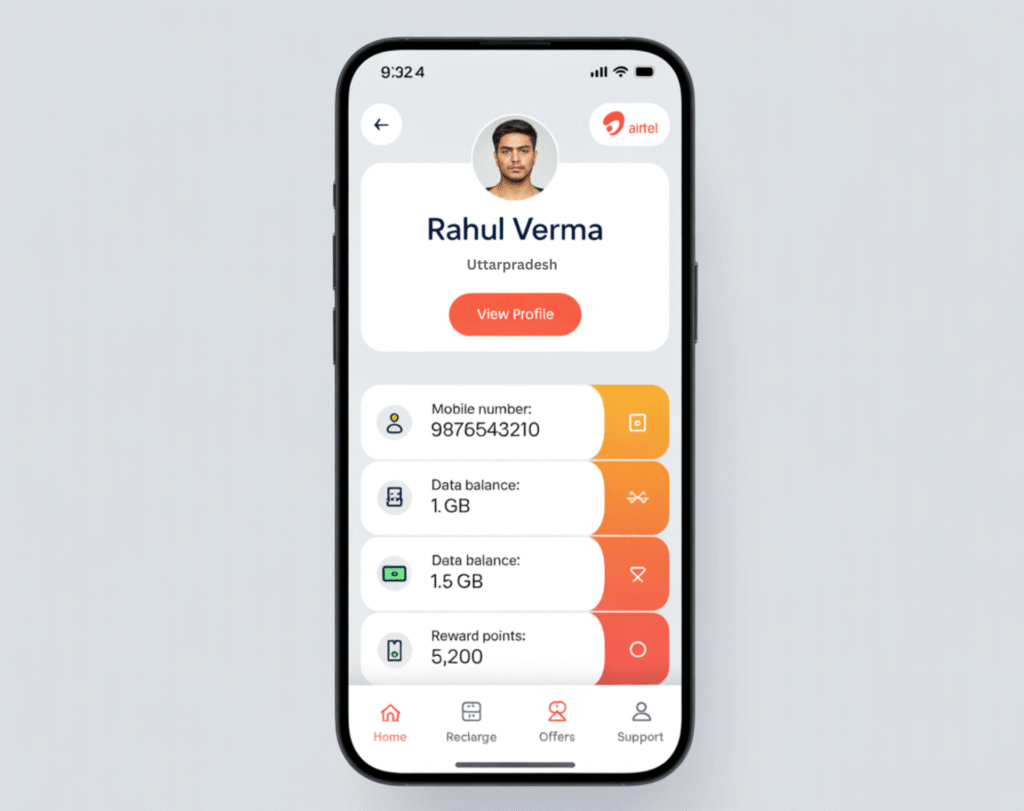
Each telecom provider offers an app that displays account details:
➤ Jio:
- Download MyJio App
- Log in with your Jio number (via OTP)
- Go to Menu > My Account > Profile
- You’ll see the registered owner’s name
➤ Airtel:
- Use the Airtel Thanks App
- Tap on Manage Account > Profile
- View the registered name
➤ Vi (Vodafone Idea):
- Download the Vi App
- Go to My Account
- Registered details are displayed
➤ BSNL:
- Use the BSNL Selfcare Portal or mobile app
- Log in and view the account profile section
Method 3: Call Customer Care
You can call customer support to know the registered name on your SIM:
- Dial 198 or 121 (depending on your telecom operator)
- Follow IVR or talk to an agent
- You may be asked for OTP or ID verification
- They can confirm the name registered with your number
Method 4: TAFCOP Portal – See Numbers Linked to Your Aadhaar

The Government of India has launched the TAFCOP portal to help you check how many SIMs are linked to your Aadhaar:
Website: https://tafcop.dgtelecom.gov.in
Steps:
- Enter your mobile number
- Submit the OTP received
- The portal shows all SIMs linked with your Aadhaar
While it may not show the full name, it helps you verify if any unknown number is registered under your ID.
4. Avoid Fake Apps & Illegal Methods
Never trust third-party apps or websites claiming to reveal someone’s SIM card owner details. Most of these are fraudulent, inaccurate, or violate privacy laws.
Apps like Truecaller can show caller names based on user data, but do not reflect the official registered owner from the telecom database.
5. Bonus Tips
- Check how many SIMs are linked to your Aadhaar – using TAFCOP is the safest method.
- Received a SIM with someone else’s name? Contact customer care and file a KYC update request.
- Buying second-hand phones? Always verify SIM ownership to avoid identity misuse.
6. FAQS
Q1: Can I check someone else’s SIM card owner’s name?
No. It’s illegal to check someone else’s SIM details without their consent.
Q2: Is using Truecaller accurate for SIM ownership?
No. Truecaller shows crowd-sourced names and not official telecom registration data.
Q3: Can I transfer ownership of my SIM to another person?
Yes, by visiting the nearest telecom store with valid KYC documents.
My phone number
9263789574
Name change
How many sim card my name